Hardware Language Features - Neovim
The Neovim slang-server.nvim plugin should be installed to use all features on this page. Once installed the SlangServer command will provide a number of subcommands outlined below.
Setting a Compilation
Setting a build file
:SlangServer setBuildFile BUILDFILE
This uses the file located at BUILDFILE to compile a full hierarchy and is required for some of the commands below.
Setting a top level
:SlangServer setTopLevel [TOPFILE]
This uses a file to run a compilation using the top-most module in the provided file. If TOPFILE is not provided the file from the current buffer will be used.
HierarchyView
:SlangServer hierarchy [SCOPE]
This opens the hierarchy view and, if SCOPE is provided, expands the view to that scope. Without SCOPE, it reveals the known active path when available.
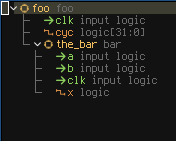
The hierarchy opens with a Cells view that groups elaborated instances by module. Press <Space> on a module to list its instances, then <CR> on an instance to make it active, jump to its source, and reveal it in the hierarchy. Pressing <CR> on an instance in the hierarchy also makes it active; gd opens its declaration without changing the selection. Press / in either view to search the hierarchy. Press ? for help, or see the default mappings.
If Neovim code-lens display is enabled, module and interface declarations show the active path and instance count. Activating that code lens opens vim.ui.select when multiple instances are available. Generate-loop code lenses similarly select an active elaborated iteration.
The active instance supplies the context for resolved parameter values, dependent types and widths, interface connections, hovers, and parameter-value inlay hints. An open hierarchy follows active-instance changes initiated by a code lens or Go to Definition.
Search hierarchy
:SlangServer searchHierarchy
This opens an interactive search over the compiled design and reveals the selected object in the hierarchy. FzfLua, Telescope, and Snacks Picker are supported when installed, with a two-step vim.ui.input and vim.ui.select fallback.
Search includes instances, generate scopes, signals, parameters, and interface port members, even in unexpanded parts of the tree. Enter a name or hierarchical path fragment. Matching is case-insensitive, supports fuzzy path matches, and returns up to 100 results; refine the query to narrow a larger result set.
Select active instance
:SlangServer selectActive
This runs an active-instance or active-generate-iteration code lens on the current source line. Code lenses must be enabled as described in the installation guide.
Cone Tracing (experimental)
:lua vim.lsp.buf.incoming_calls()
With a build file or top level selected, place the cursor on a signal and run this command to trace its drivers through the incoming call hierarchy. If the signal has multiple instances, choose an instance first, then select a driver to navigate to its source.
Waveform Integration (experimental)
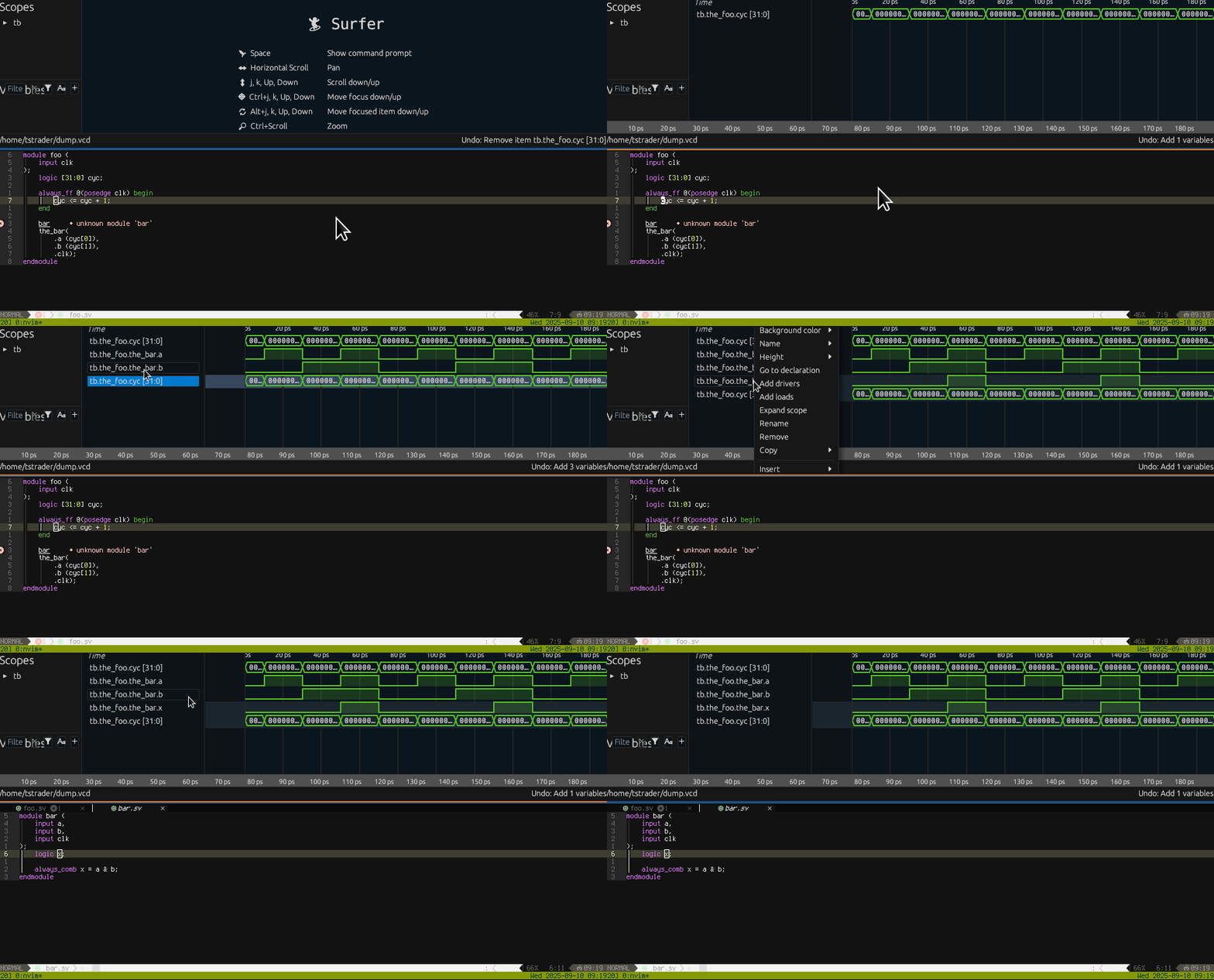
slang-server can interact with waveform viewers via the WCP (waveform control protocol).
The only known implementation of WCP is currently in Surfer.
Editor Features
Open Waveform File
:SlangServer openWaveform WAVEFILE
This opens the waveform file (e.g. VCD or FST) indicated by WAVEFILE.
If there is no currently active WCP session a new waveform viewer will be launched using the command provided in the wcpCommand config field.
By default this is Surfer.
If a WCP session already exists, the new waveform file will be loaded.
Additionally, if a buildPattern config field is provided, the build file which corresponds to the current wave file will be used to produce a compilation.
E.g. given a wave file of /some/dir/foo.fst and a buildPattern of /some/other/dir/{}.f, a compilation will be made using /some/other/dir/foo.f.
Add Item
:SlangServer addToWaves [RECURSIVE]
Adds the signal, module, interface or other scope currently under the cursor to the waveform viewer.
If RECURSIVE is provided and is true and the item is a scope it will be added recursively.
If more than one instance of the item exists, a list of instances will be provided to choose from.
Wave Viewer Features
- Goto Definition
- Add Drivers
- Add Loads